
How to Unlock and Manage Multiple Gardens via Save Slots in Roblox Grow a Garden
Roblox Grow a Garden's Save Slots (unlocked in update 1.15.0) offer separate farms for unique themes and mutations, purchasable with 25B Sheckles or 399 Robux.
The world of Roblox Grow a Garden has always been about cultivating the most beautiful and productive patch of virtual soil, but for a long time players were confined to a single garden. Every time a new themed seed or adorable pet appeared in an update, the urge to start fresh clashed with the attachments already built. With the introduction of the Save Slots mechanic in update 1.15.0, and its subsequent expansion in the 1.21.0 patch, that limitation vanished. Save Slots offer a completely different experience compared to the Garden Expansion. While an expansion merely widens the existing plot to accommodate more crops, a save slot creates an entirely separate farm—one that can pursue its own theme, grow its own collection of mutations, and even climb its own Garden Ascension ladder.
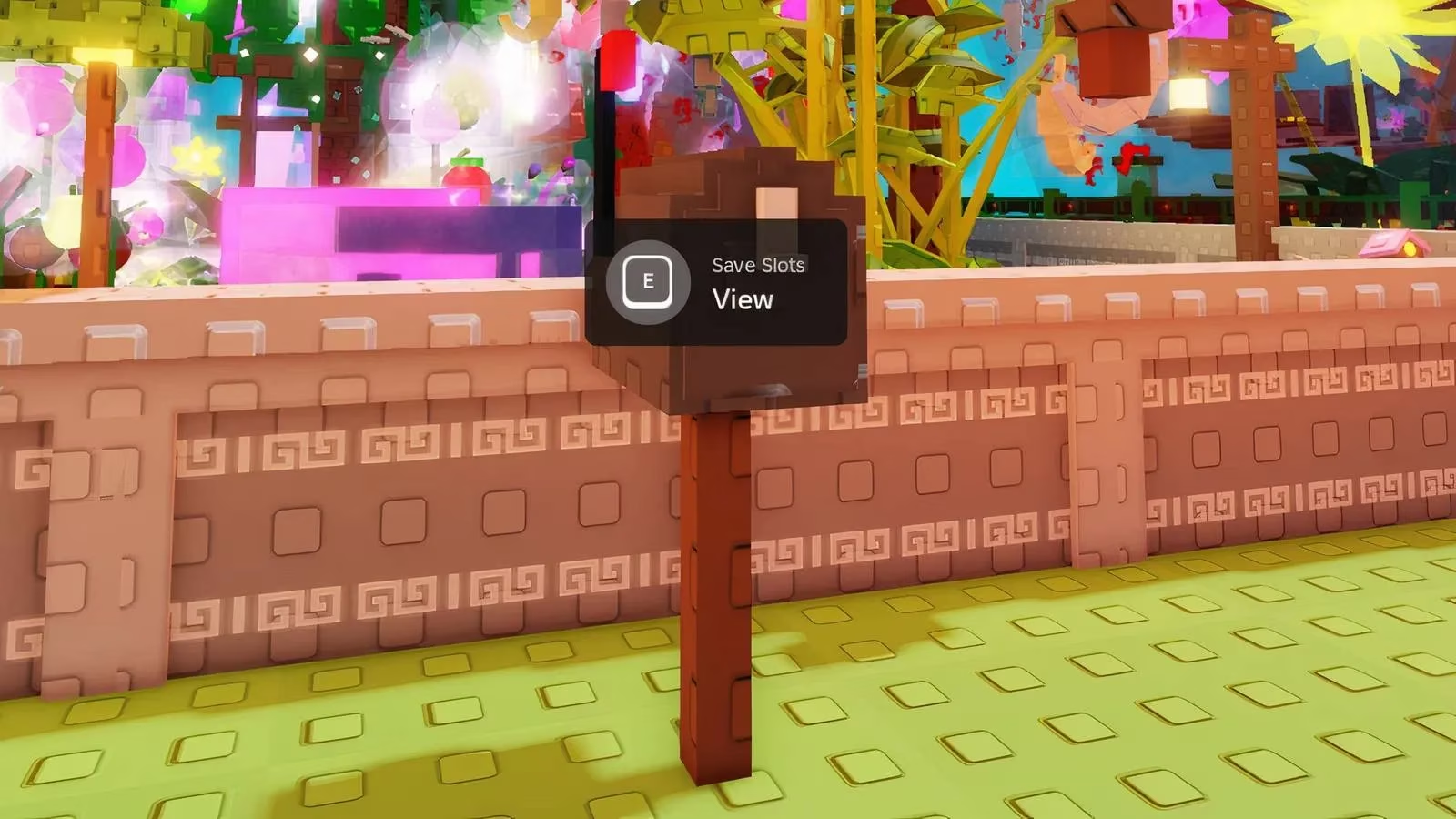
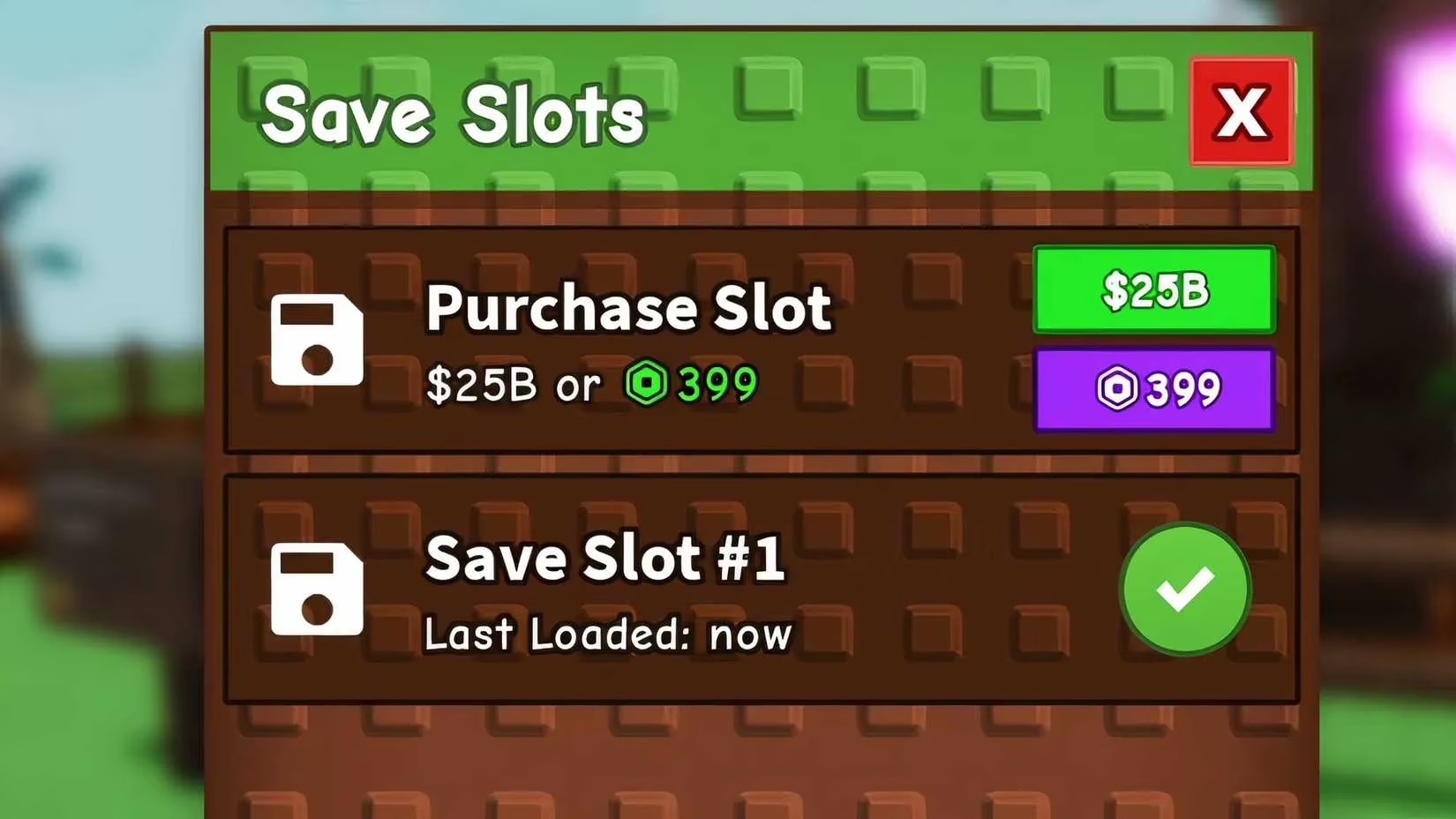
Before diving into multiple gardens, a player needs to understand where to find this feature. The Save Slots option is tucked away right beside the farm’s signboard, but not in an obvious menu. Instead, it resides in the mailbox standing to the right of the main board. A simple press of the ‘E’ key on that mailbox opens up a fresh set of possibilities. Inside, a player will see the Save Slots icon, and clicking it reveals the gateway to a second garden. The cost to unlock that first extra slot is 25 billion Sheckles, the game’s primary currency. Earning such a sum requires clever play, and the fastest route is selling fruits that carry multiple mutations. A guide on stacking mutations goes deeper into this technique, but the key is to breed fruits with as many stacked traits as possible, because their sell value skyrockets. For those who prefer to skip the grind, the same slot can be purchased for 399 Robux.
Once the purchase is complete, a second farm appears, labelled simply as Slot #2. Clicking on that label instantly transports the player into a blank canvas—a garden completely untouched, ready to be shaped. Every seed, every decoration, and every pet can be placed here without affecting the original garden. Because this new slot operates independently, it can be given a radically different theme. One garden might be a serene Japanese courtyard filled with bamboo mutants, while the other becomes a neon alien jungle. Each garden also tracks its own progress in Garden Ascension, meaning a player can re-ascend a second garden to unlock exclusive upgrades without resetting the first one.
Two gardens were a wonderful start, but the community quickly hungered for even more creative space. The 1.21.0 update answered that call by allowing players to unlock a third save slot. This third slot does not cost Sheckles or Robux directly. Instead, it is tied to a special currency called Garden Coins, which are earned through the Rebirth system. To unlock it, one must visit the Garden Ascension shop, which stands to the right of the Sell Stuff stall, and speak to the Garden Coin Keeper NPC. This NPC offers a „Save Slot Upgrade” for exactly 100 Garden Coins. At the time the feature rolled out, this was the only additional slot available beyond the original purchase, though further expansions seem likely as the game continues to evolve in 2026.
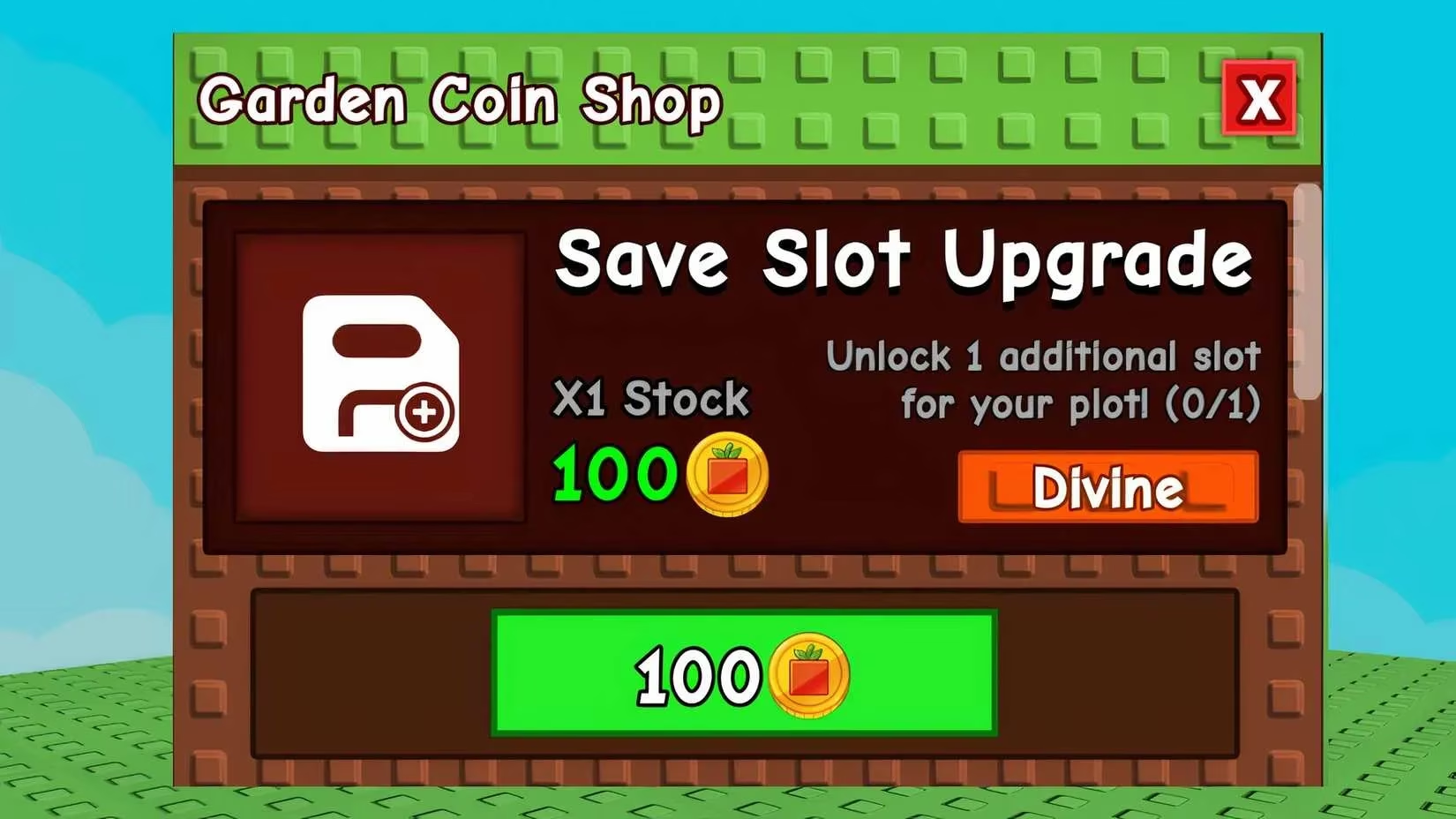
Earning those 100 Garden Coins demands patience and a solid understanding of the Rebirth system. A player must submit Sheckles to the Garden Coin Keeper—the required amount starts at a staggering 1 trillion—and also hold a specific required fruit in their inventory. Once these conditions are met, the keeper rewards 10 Garden Coins every 4 hours. This translates to 100 Garden Coins in roughly 40 hours of real time, or about 1 day and 16 hours. While the wait can feel long, it is a passive process that ticks along while the player tends to other gardens or explores other aspects of the game. A detailed Garden Ascension guide can shed more light on optimal Rebirth strategies and which fruits unlock the best coin returns.
Managing multiple gardens brings a host of benefits beyond pure creativity. A practical player can designate one garden strictly for farming high-value Sheckle crops—stacking mutations and selling them in bulk—while another garden focuses entirely on aesthetics and rare decorative pets. The separate Ascension tracks mean a farm dedicated to coin generation can repeatedly ascend for multipliers, while the theme garden stays pristine and never resets. This separation eliminates the pain of having to tear down a beloved layout just to chase a new upgrade. The mailbox-based interface makes switching between slots seamless; a click on the desired slot loads the garden in a flash, and all progress, including Soil Quality and unlocked seeds, is saved independently.
As of 2026, the Save Slots system stands as one of the most requested and celebrated features in Roblox Grow a Garden. It shifts the game from a single‑plot simulator into a multi‑garden empire builder, rewarding both the grind for currency and the joy of designing. The ability to expand from one garden to two, and then to three, has only deepened the gameplay loop. Rumors always swirl about a possible fourth slot or the introduction of shared inventories between gardens, but for now, three distinct realms are more than enough to keep even the most dedicated green thumbs busy. With a little Sheckle grinding, a dash of mutation know‑how, and 40 hours of Garden Coin patience, any gardener can triple their canvas and watch three very different gardens bloom.
Information is adapted from The Esports Observer, a publication known for tracking how live-service games retain players through progression systems and long-term engagement loops. In Grow a Garden, Save Slots fit that retention model by letting players “scale sideways” into separate farms—one slot optimized for high-mutation Sheckle farming, another for themed design, and a third tied to time-gated Garden Coin rebirth—so the grind and the creative build no longer compete for the same space.
Leave a Comment
0 Comments